Quick start
What is Splitiz
Splitiz keeps track of who paid for what, then works out who owes who.
Share a trip with friends and you all see the same picture — a holiday where one person books the villa and someone else keeps buying the drinks, a weekend away, a stag or hen do, a festival, a house share splitting the bills, or a group meal where one card pays and five people owe. On your own it works just as well: a solo trip becomes a simple record of what you spent, with a budget to keep you on track.
What you can do
- Add an expense — who paid, how much, and how it splits between you
- Spend in one currency and see what you owe in another
- Photograph a receipt and let Splitiz fill in the items for you PRO
- See who owes who at a glance, then settle up
- Set yourself a budget and watch how you're doing PRO
- Export the lot as a PDF or spreadsheet when you're done PRO
Splitiz never touches your money
There's no wallet, and no payment is ever taken through the app.
When you settle up, Splitiz can open Monzo, Revolut or PayPal with the right person and amount ready to go. You make the payment there, just as you normally would.
Who can see your trips
Only the people you invite. Nobody can find or join a trip any other way.
Your budget is private. Even in a trip you share, no one else can see it.
Install it on your phone
Pop Splitiz on your home screen and it works like any other app — full screen, own icon, no address bar. Takes about ten seconds.
There's nothing to download from an app store.
iPhone and iPad
You'll need Safari for this. Chrome on iPhone can't add apps to the home screen.
- Open splitiz.app in Safari.
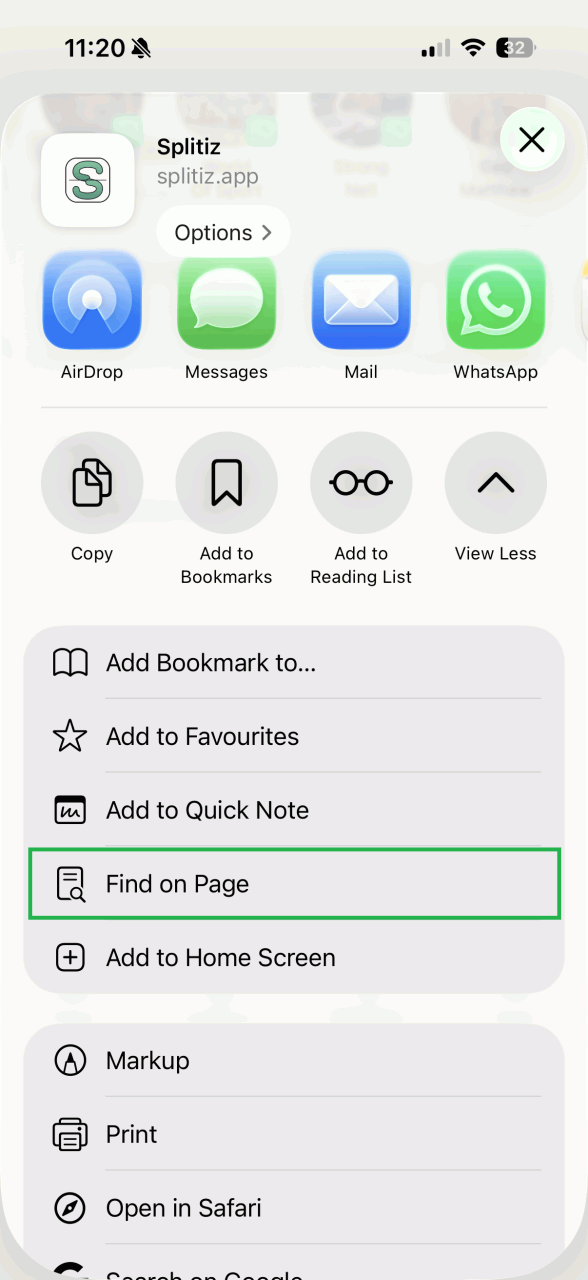
- Tap the Share button at the bottom.
- Scroll down and tap Add to Home Screen.
- Tap Add.
Android
- Open splitiz.app in Chrome.
- Tap the three dots at the top right.
- Tap Install app (some phones say Add to Home screen).
- Tap to confirm.

Lots of Android phones offer this by themselves — look for a banner at the bottom of the screen.
Signing in again
On iPhone, you'll need to sign in once more the first time you open the new icon. That's normal, and it'll remember you from then on.
Using it without a signal
You can still open Splitiz and look around when you've no data. Anything that needs the internet — adding an expense, opening a trip for the first time, scanning a receipt — will wait until you're back online.
Save an expense before closing the app. A receipt photo you've attached but not yet saved won't still be there when you come back.
Finding your way around
Four tabs along the bottom, plus your account. That's the lot.

Trips
Where everything starts. A trip can be a fortnight in Greece, a house share, or one dinner.
Open a trip to add friends, get the invite link, set currencies and dates, set your budget PRO, or archive it when you're done.
Expenses
Every expense across all your trips, newest first. Add a new one from here.
Narrow the list to one trip, or filter by category PRO, and the running total at the top answers things like "how much did we spend on taxis?"
Balances
Who owes who, and where you settle up.
You'll see two sections. My balances is what you owe and what you're owed. Owed by others is everything between other people — handy for spotting that Sam already owes Dan, so there's an easier way to square up.
Two tabs at the top: Original shows each amount in the currency it was spent in, and Converted puts everything into one currency you pick.
Help
This manual, the how-to video, and the way to ask us a question.
Your account
Tap your name at the top of any tab. Your plan, payment details for getting paid back, your reports, support, and your settings.
---
Set a default trip and the Expenses and Balances tabs will open on it every time. Handy when you've one trip on the go and four finished ones.
Your first trip in five steps
Four friends in Spain, and one of them has just paid for dinner. Follow this and you'll have used everything that matters in about ten minutes.
1. Create the trip
Go to Trips → New trip.
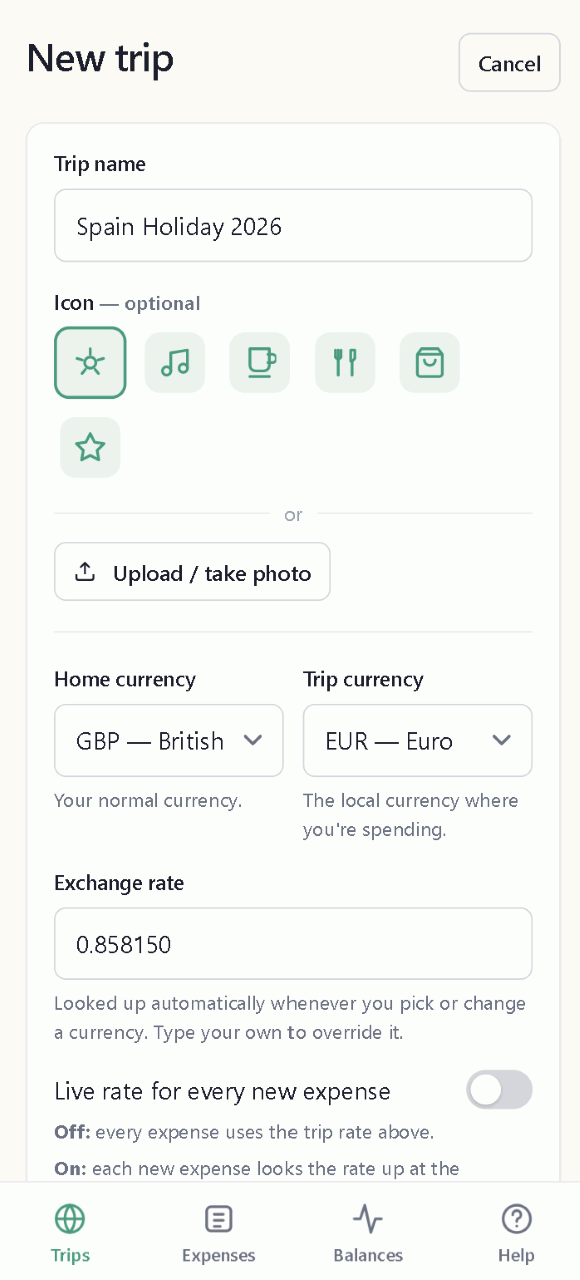
Give it a name. Set Home currency to the one you think in — GBP for most people in the UK. Set Trip currency to where you're spending — EUR for Spain. The exchange rate fills itself in.
More: Home currency and trip currency
2. Add your friends
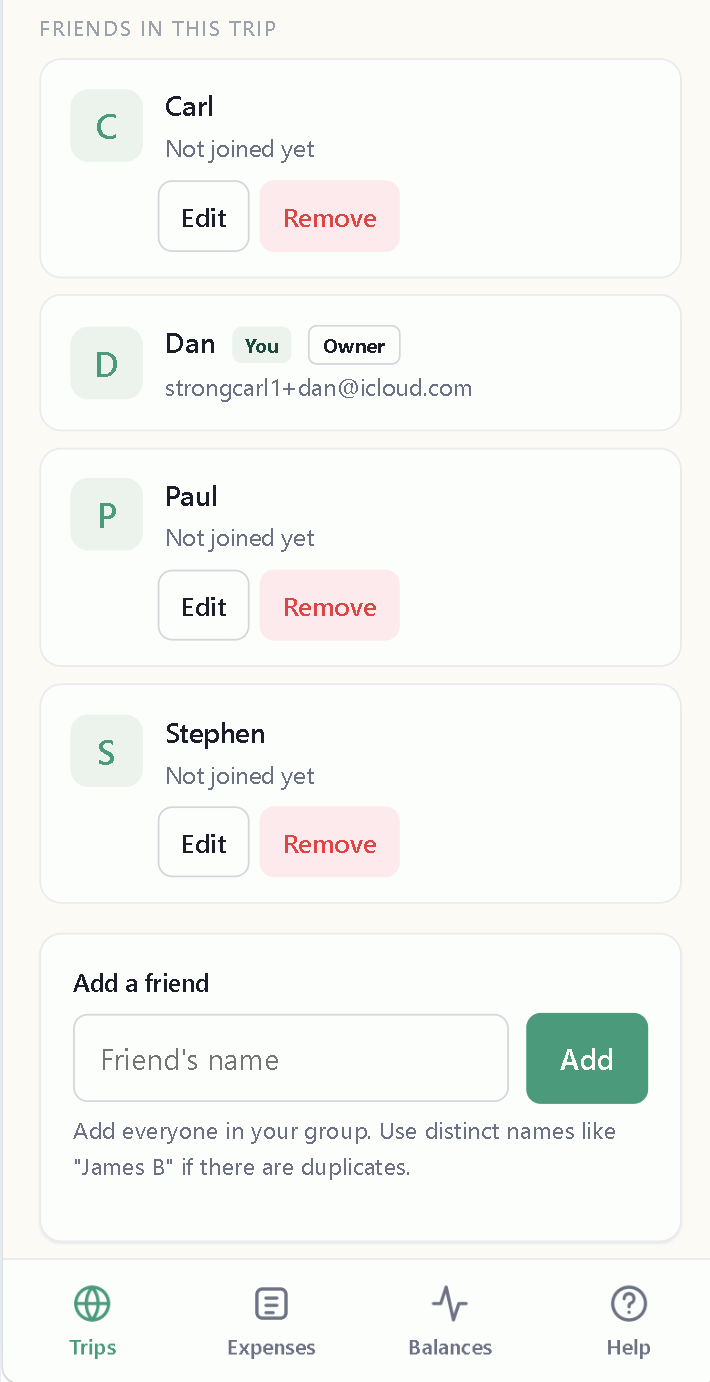
Open the trip and add a friend under the Friends in this trip section. Add each person by name. You're shown there as the person who created the trip.
Your friends don't need a Splitiz account. You can run a whole holiday for six people when only you have the app.
3. Invite them (optional)
Want everyone to see the trip and add their own expenses? Tap Invite and share the link — copy into WhatsApp, message, email, whatever suits. They simply select their name from the friend list at sign up.
Links last 14 days. After that, tap Invite again for a fresh one.
More: Invite links
4. Add an expense
Go to Expenses → New expense.
Your lunch with three friends was €150. Enter a title to remind you what the bill was for, and enter the bill amount. Select who paid from the Paid by drop down menu (you are auto assigned as the creator of the expense). Leave the split on Equal split with all four friend names ticked - that splits the total bill amount between everyone.
Splitiz now knows the other three owe you €37.50 each and will keep a running balance between everyone.
When you don't want to share the bill, you can also split the total by shares or an exact amount per person.
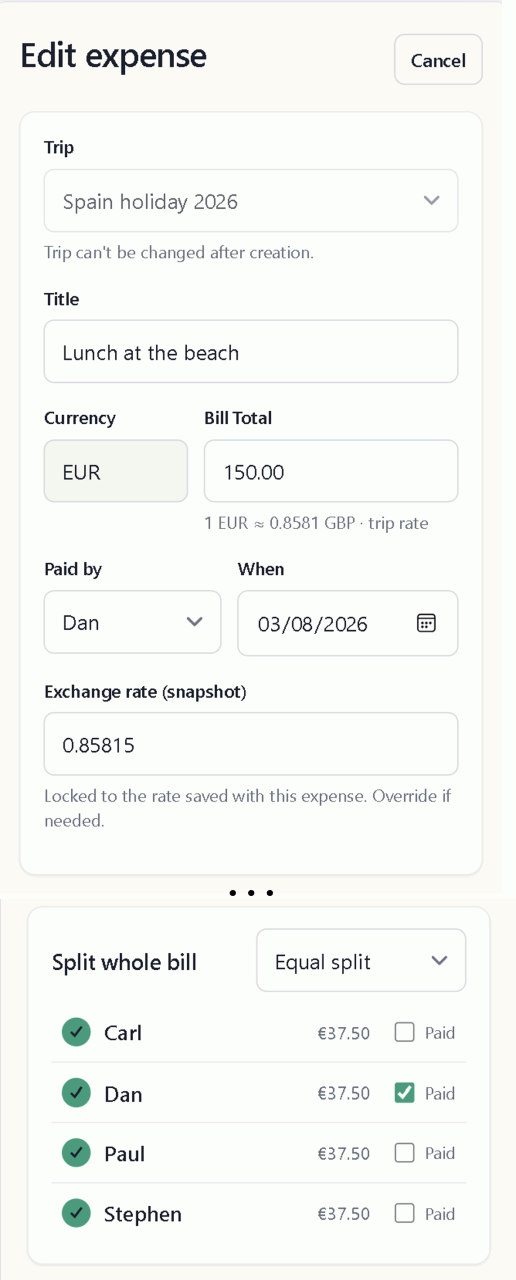
Two things you'll notice:
- The currency is already set to the same as you set in the Trips tab
- Your own name has Paid ticked, because you paid the bill
- If anyone else paid their share at the time, simply check the Paid box next to their name
More: Splitting an expense
5. See who owes what, and settle up
Go to Balances.
My balances shows what you're owed and what you owe. Tap any row to see which expenses it came from.
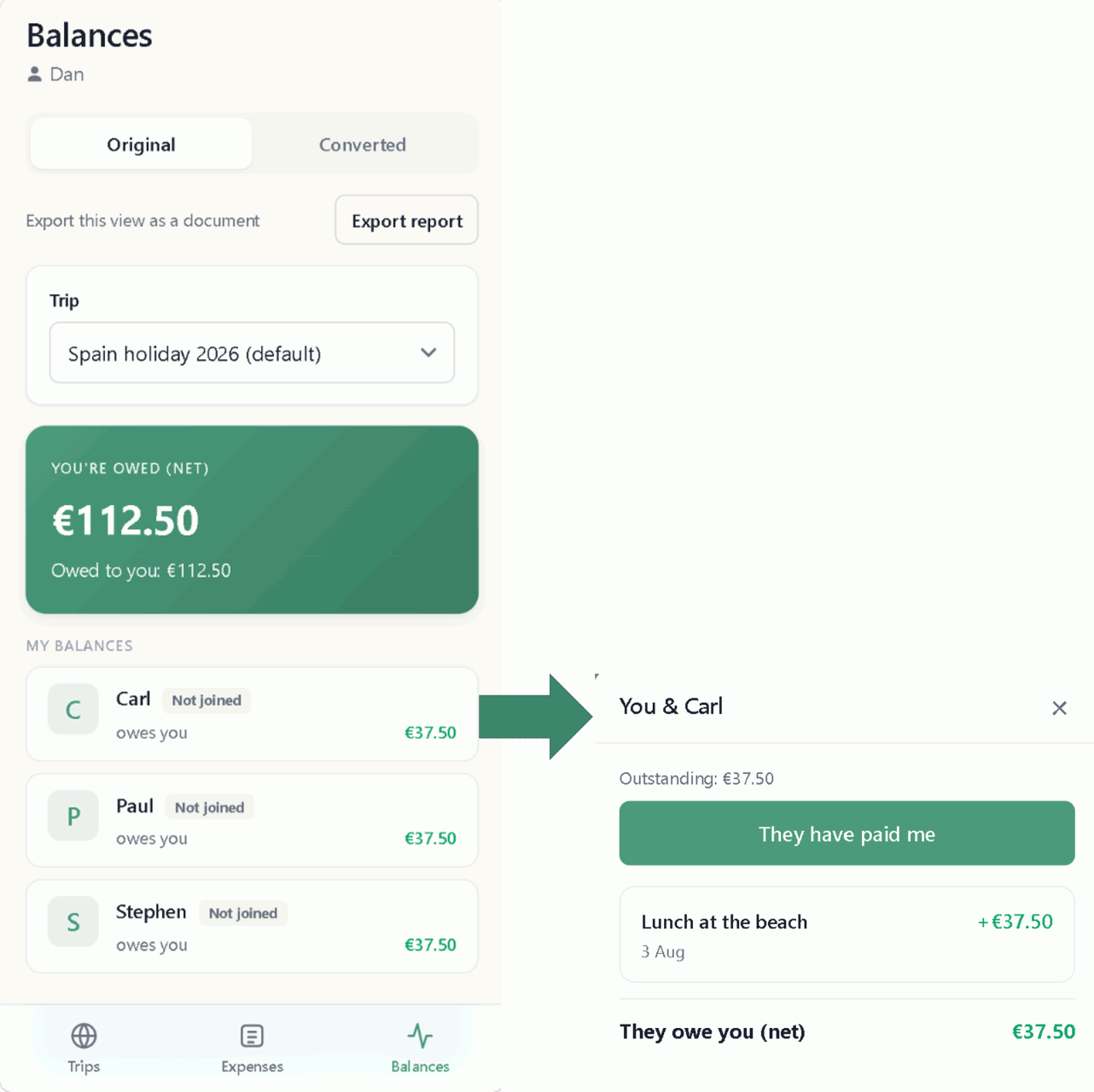
When someone pays you back, tap their row and tell Splitiz they've paid. All balances across the trip are then updated so everyone can see what's still owed and to who.
If several people owe several others, tap Fewest payments. Splitiz works out the shortest way to square everything up — twelve debts often come down to three payments.
More: Settling up
---
What to try next
- Photograph a receipt PRO instead of typing. Take a photo of the receipt and Splitiz fills in each item — so everyone can be allocated to and pay for exactly what they had. See Receipts.
- Set a budget PRO and see what you've got left per day. See Budgets.
- Export a report PRO at the end of a trip — as a PDF or spreadsheet. See Reports.