Reports
What's in a report PRO
A report is the whole trip written down — every expense, who paid, how it split, and where everyone finished up.
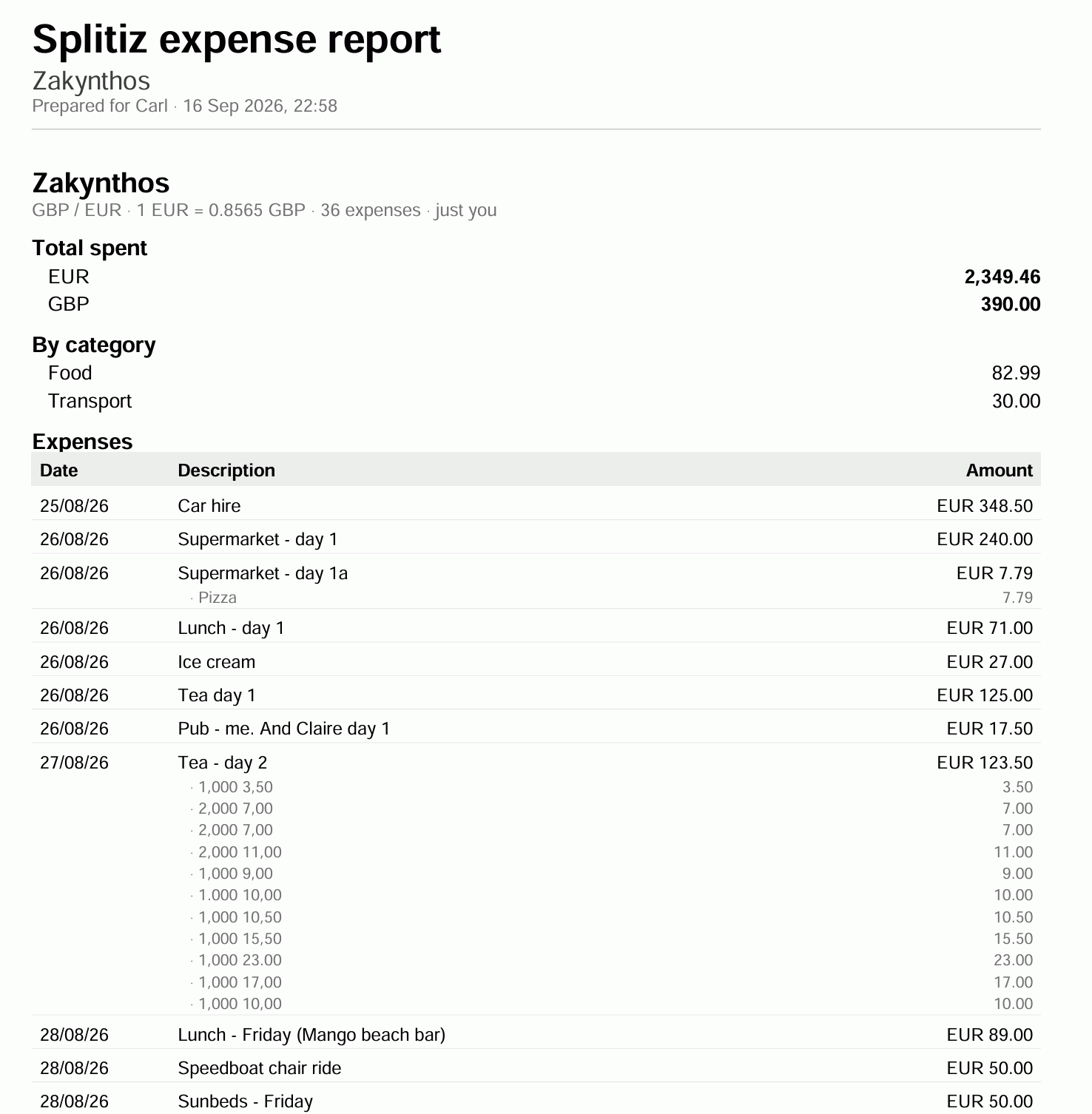
What you get
- Every expense, in date order — title, date, who paid, the amount, and the currency it was spent in.
- Line items, where a bill was itemised.
- Totals per currency, and what each person paid out.
- The final balances — who owes who at the end.
- Receipt photos, if you asked for them.
The balances always agree with the app
Reports are worked out using the same method that draws the Balances tab. A report will show you the exact same information as shown in the Splitiz app.
Who it's for
- Splitting a house share and needing a record both of you can keep.
- Claiming expenses back from work, where "my phone says so" isn't enough.
- Ending a long trip, when nobody wants to scroll six weeks of the app.
Export before archiving a trip, report is the version of events you can email someone.
Privacy
A report covers the trip it's made from and nothing else. Your budget isn't in it — budgets are private, and stay private.
Making a report PRO
Go to Balances and tap Export report.
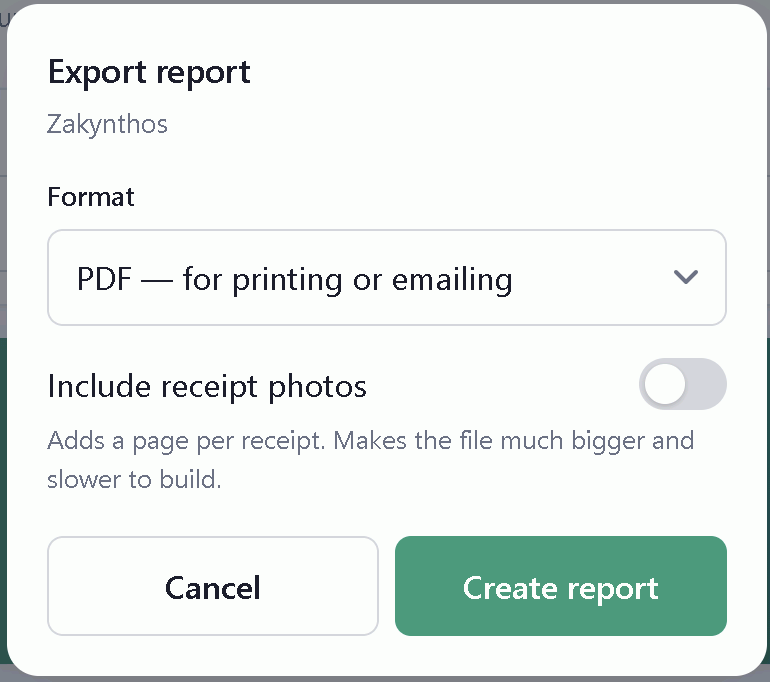
What you choose
Which trip — select all trips or a single trip from the drop down menu.
Format — two options:
| Best for | |
|---|---|
| Printing, emailing, keeping. Looks the same everywhere. | |
| Excel | Sorting, totalling, pasting into something else. |
Include receipt photos — off by default. Turning it on adds a page per receipt.
Leave receipts off unless you need them. A trip with forty receipts makes a file that's slow to build and awkward to email.
It takes a moment
Building the file happens on the server. A long trip with photos can take a little while — leave the screen open until it's done.
Getting the file
When it's ready you're offered it straight away — share it, save it, or open it.
It's also kept on your account, so you don't have to make it twice. See Finding your reports.
Running another report
Reports are a snapshot of the moment they were made. Add more expenses and the old report doesn't change — make a new one.
Finding your reports PRO
Every report you make is kept. Tap your name at the top of any tab to open your account, then look under My expense reports.
Each one shows its title, the format, the file size and when you made it. Tap to open it again.
Report are only for you
A report you made is on your account, not the trip's. Other people in the trip don't see it, even if the trip is shared. Send them the file if you want them to have it.
Making a new one
From Balances → Export report. See Making a report.
Give it a moment to generate before assuming it failed. Big reports with receipt photos take longer to build than small ones.
After a trip is deleted
Reports you've already made survive — they're a snapshot, not a live view, and they are under in Account section under My expense reports. It's worth exporting before you delete anything you might want a record of.